War of Circles Mobile Tips
Touch-friendly habits for Roblox arena fights — thumbs, Domains, heat, and when PC is the better dock.
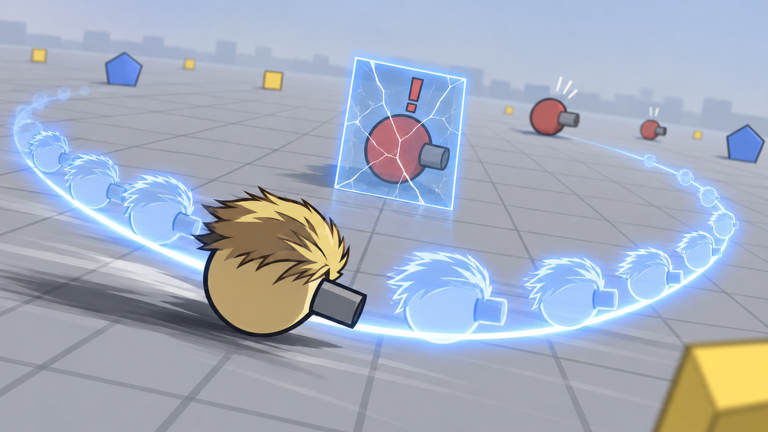
War of Circles on Roblox mobile is fully playable, but the touch layer changes which mistakes kill you first. Vessel Game’s circle arena still runs the same rules — up to 16 players, Domain Expansions, 39 classes, hundreds of upgrades — yet fat-finger Domains and cramped thumbs turn fair fights into donations. This guide is for phone and tablet players who want cleaner lives without pretending touch equals a mouse.
Pair this page with controls for bind landmarks and how to play for the arena loop. When your deaths look like “I pressed the wrong thing,” start here before you blame class identity.
Thumb placement that survives mid-fights
Most mobile deaths start with grip, not meta. A common setup:
- Left thumb: movement stick only. Do not stretch it toward ability clusters mid-strafe.
- Right thumb: camera / aim. Keep it free to arc while you shoot.
- Optional index reach: only if your device size allows a clean Domain tap without covering the stick.
Avoid the “claw everything” pose until your hands are warm. Early matches should prioritize stable orbits over fancy multi-finger tech. If your left thumb drifts onto the Domain button while you panic-strafe, you will cast into empty space — the same panic Domain problem covered in common mistakes.
Practical test: orbit an edge for sixty seconds without accidentally firing a Domain. If you cannot, your layout is fighting you.
Domain button discipline on touch
Domains are the anime spike that flips clumps. On mobile they are also the easiest accidental tap. Treat the Domain control as a deliberate second action, not a panic mash when HP drops.
Habits that help:
- Glance at charge state before you enter a three-circle pile.
- Move your right thumb away from the Domain hotspot while you are only trading basic shots.
- Cast only after you have already angled for escape — setup, then Expansion, then reset, as in Domain Expansions.
- If you fat-finger often, increase confirmation friction in settings when available, or reposition HUD elements so Domain sits farther from your aim rest zone.
A wasted mobile Domain is worse than a wasted PC Domain because recovery inputs are slower. Empty energy in a 16-player lobby means the next specialist who looks at you wins for free.
Settings worth checking every session
Open Roblox and in-experience settings before you grind:
- Graphics quality: lower tiers reduce heat and frame dips during Domain spam. Smooth 30 FPS beats cinematic 10 FPS in a circle shooter.
- Camera sensitivity: high enough to flick off a Sniper lane, low enough that a sweaty thumb does not spin 180 unintentionally.
- Performance / low power modes: useful on older phones; disable if input lag feels worse than thermal throttling.
- UI scale: enlarge Domain and upgrade buttons if you miss taps; shrink if they cover your sight line.
Revisit binds on controls after any Roblox client update. Touch overlays change more often than PC keyboards.
Aim and movement grammar on a small screen
Diep.io-style circling still applies. Strafe while shooting. Never walk in a straight line at a Controlled Sniper. On mobile, add two extra rules:
- Short bursts of camera adjustment beat constant micro-jitter that blurs your own projectiles.
- Pre-aim escape routes before you commit to center. Your thumb cannot snap as fast as a mouse when a third party arrives.
Center greed is already a top PC mistake; on touch it is lethal. Farm edges, take free leftovers, and only rent mid when you have a breakpoint or a ready Domain (how to play).
Upgrade shopping without losing the fight
Opening the upgrade panel on mobile steals more attention than on PC. Bad habit: full-screen shopping in the open while four circles rotate toward you.
Fix:
- Shop behind cover or on a quiet edge after a reset.
- Pre-plan a six-buy story so you are not browsing the entire tree under fire (upgrades).
- Prefer Tank or Hybrid early so mis-taps do not delete you instantly (best class).
Glass Speed lines on a phone are a content creator fantasy, not a learning plan. Earn mobility kits after your thumbs stop inventing Domains.
Battery, heat, and session length
Thermal throttle feels like “random lag” and leads to the same feeds listed in common mistakes. Mitigations:
- Remove a thick case during long sessions if safe for grip.
- Lower graphics before the phone is already hot.
- Charge while playing only if your device handles it without emergency throttling — many do not.
- Take a two-minute cool-down between sweaty lobbies instead of queueing tilted.
A cooler device aims straighter. That is not motivational fluff; input polling and frame pacing both suffer when SoCs cook.
When to dock to PC (or a controller)
Mobile is fine for learning the loop, farming comfort games, and short sessions. Dock to PC when:
- You are practicing precise Domain timings against Domain specialists.
- Lobbies feel sweaty and every duel is a micro-aim check.
- You want to review upgrade trees quickly between fights.
- Your phone hits thermal limits before your brain does.
Cross-progress on the same Roblox account. There is no shame in touch for commute games and mouse for climb nights. The systems — spacing, economy, Domains — transfer; only the input ceiling changes.
Mobile-friendly archetype priorities
| Priority | Archetype | Why on touch |
|---|---|---|
| First | Tank anchor | Forgives mis-taps; teaches telegraphs while alive |
| First | Hybrid bruiser | Wins fair fights without pixel-perfect flicks |
| Second | Controlled Sniper | Only after camera discipline is stable |
| Later | Pure Speed | Demands constant precise orbits |
| Situational | Domain specialist | Strong, but accidental casts hurt more on touch |
Use beginner tiers and best class to lock a learner main. Skip fake “mobile-only OP class” videos that invent names for the 39 roster slots.
Ten-minute mobile warm-up
- Two minutes edge orbit without Domains.
- Two minutes camera flicks to imaginary Sniper angles.
- Two minutes intentional Domain on a dummy clump or low-stakes pile.
- Two minutes upgrade panel open/close behind cover.
- Two minutes reviewing one death with the positioning / upgrades / Domain / third-party buckets.
Related pages
- Binds overview: Controls
- Arena loop: How to Play
- Habit fixes: Common Mistakes
- Ultimates: Domain Expansions
- Starters: Best Class
- Codes status: Codes
Touch War of Circles rewards players who respect thumbs, heat, and Domain button real estate. Clean those three, and the same upgrade and spacing lessons that work on PC finally show up in your mobile match history.
Frequently Asked Questions
Quick answers for War of Circles on Roblox.
Can I play War of Circles seriously on mobile?
Yes for learning and solid intermediate play. For peak Domain timing and sweaty aim checks, docking to PC still helps.
Why do I keep casting Domain by accident?
Thumb rest zones overlap the Domain control. Reposition HUD elements, slow your panic strafe, and follow Domain Expansions timing rules.
What class should mobile beginners pick?
Tank or Hybrid first. Avoid pure Speed and ultra glass until camera discipline is stable — see best class.
Where are the full control notes?
On the controls page. Use this mobile guide for touch-specific habits layered on top of those binds.