War of Circles Controls
PC and mobile input tips so aim, abilities, and Domain casts stay reliable in 16-player arenas.
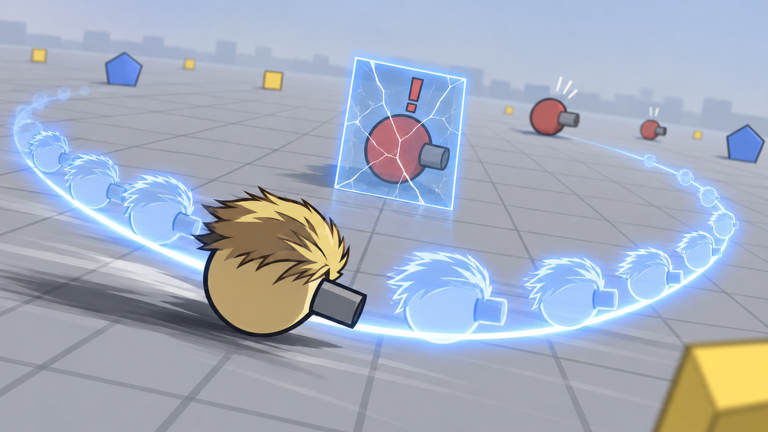
Clean controls are the hidden skill ceiling in War of Circles. Vessel Game’s Roblox arena asks you to circle-strafe, spend upgrades, fire abilities, and cast Domain Expansions while up to fifteen other players contest the same space. This page covers practical PC and mobile habits. Exact key labels can vary with Roblox platform defaults and future UI patches — always check in-experience settings if a bind differs (updates).
Return to the players hub for roles and etiquette, or to getting started for match goals once your hands feel quiet.
Universal principles
- Move and aim at the same time. Standing still is a Sniper donation.
- Put Domain on a deliberate key/button. Panic mis-taps lose fights (Domain Expansions).
- Keep upgrade menu access reachable without covering your entire thumb zone.
- Lower camera clutter if particles hide enemy windups.
- Practice ten minutes in a live lobby before blaming your class (best class).
PC controls (keyboard + mouse)
Roblox PC defaults usually map movement to WASD, camera to mouse, and interactions to labeled keys on the HUD. In War of Circles, treat the following as your checklist even if the letters differ:
| Action | Typical PC approach | Tip |
|---|---|---|
| Move | WASD | Strafe while shooting; avoid straight-line charges |
| Aim / face | Mouse | Keep crosshair at chest height of enemy circles |
| Primary fire | Left mouse | Rhythm > spray when reload nodes lag |
| Ability | Number keys / listed binds | Bind comfort over defaults if settings allow |
| Domain Expansion | Dedicated key | Never share it with jump if you misclick |
| Menu / upgrades | Esc or HUD button | Shop only in safe space (upgrades) |
| Sprint / boost (if present) | Shift | Save for disengages, not ego engages |
PC hygiene tips
- Raise pointer precision until micro-adjusts feel easy.
- Disable overlapping browser overlays that steal clicks.
- If you use a controller on PC via Roblox, re-check dead zones — circle shooters punish drift.
- Fullscreen reduces accidental desktop hits mid-Domain.
Mobile controls (touch)
Mobile lobbies are real — War of Circles runs through Roblox on phones and tablets. Touch success depends on layout discipline:
| Action | Mobile approach | Tip |
|---|---|---|
| Move | Left virtual stick | Thumb stays planted; do not chase with both thumbs randomly |
| Aim / camera | Right touch drag | Short drags; over-swipes lose tracking |
| Fire | Auto-fire toggle or right-side button | Prefer modes that let you strafe freely |
| Abilities | Right-side skill buttons | Enlarge if the device settings allow |
| Domain | Distinct skill slot | Place away from fire to avoid miscasts |
| Upgrade UI | Top or side icons | Pause in cover before tapping trees |
Mobile hygiene tips
- Play in landscape for wider peripheral vision.
- Clean the screen — oily glass destroys micro-aim.
- Consider a low graphics preset if Domain particles crush frame time.
- Claw grip (extra fingers) helps only after basics; do not invent pain on day one.
Console via Roblox
Console players inherit Roblox’s gamepad mapper. Priorities match PC: movement stick, aim stick, clear Domain button, and a menu button you will not hit mid-fight. If aim assist feels strong or weak after a patch, retest before rebuilding your entire tree.
Domain cast reliability drills
Misclicks create the worst highlight deaths. Drill:
- Walk edges while repeatedly hovering (not necessarily firing) your Domain bind.
- Cast only on a counted cadence — “three, two, one, cast” — for three matches (how to play).
- After each accidental cast, change the bind or button position immediately.
HUD elements worth finding early
- Health / shield readout
- Ability cooldown rings
- Domain readiness indicator
- Upgrade currency / tree entry
- Settings gear (graphics, binds, audio)
If you cannot find Domain readiness, you will cast late forever. Spend a quiet minute in lobby identifying each widget before queueing seriously.
Controls problems mistaken for class problems
- “Sniper is OP” sometimes means you never strafed.
- “Domains are random” sometimes means you cast with the wrong thumb.
- “Upgrades do nothing” sometimes means you shop while already dead walking.
Fix inputs, then revisit archetype advice on class tiers and the tier list hub.
Accessibility and comfort
Lower vibration if it jars aim. Increase UI scale on tablet if icons are tiny. Take breaks — circle arenas strain wrists and eyes. This wiki cannot change Roblox’s global accessibility suite, but your session settings matter.
Related pages
- Roles & etiquette: Players
- First hour: Getting Started
- Loop: How to Play
- Cast theory: Domain Expansions
- Official place: Official Links
When controls are boring, you are ready to think about meta. Until then, every fancy Domain guide is optional DLC on top of WASD and thumbs that do what you intend.
Frequently Asked Questions
Quick answers for War of Circles on Roblox.
What are the default War of Circles keybinds?
They follow Roblox platform defaults and in-experience UI labels. Use the checklist tables above, then confirm inside Settings if a key differs.
Can I play well on mobile?
Yes. Use landscape, stable thumb placement, and keep Domain away from the fire button to avoid miscasts.
Why do I keep accidental Domain casts?
Your Domain control shares space with fire or jump. Move the bind/button and run the cadence drill in this guide.
Where should I go after fixing controls?
Return to getting started or how to play and lock a starter from best class.